plyce · AI Agent #1
Automatically parse and analyse CVs with AI
An in-depth product guide from plyce
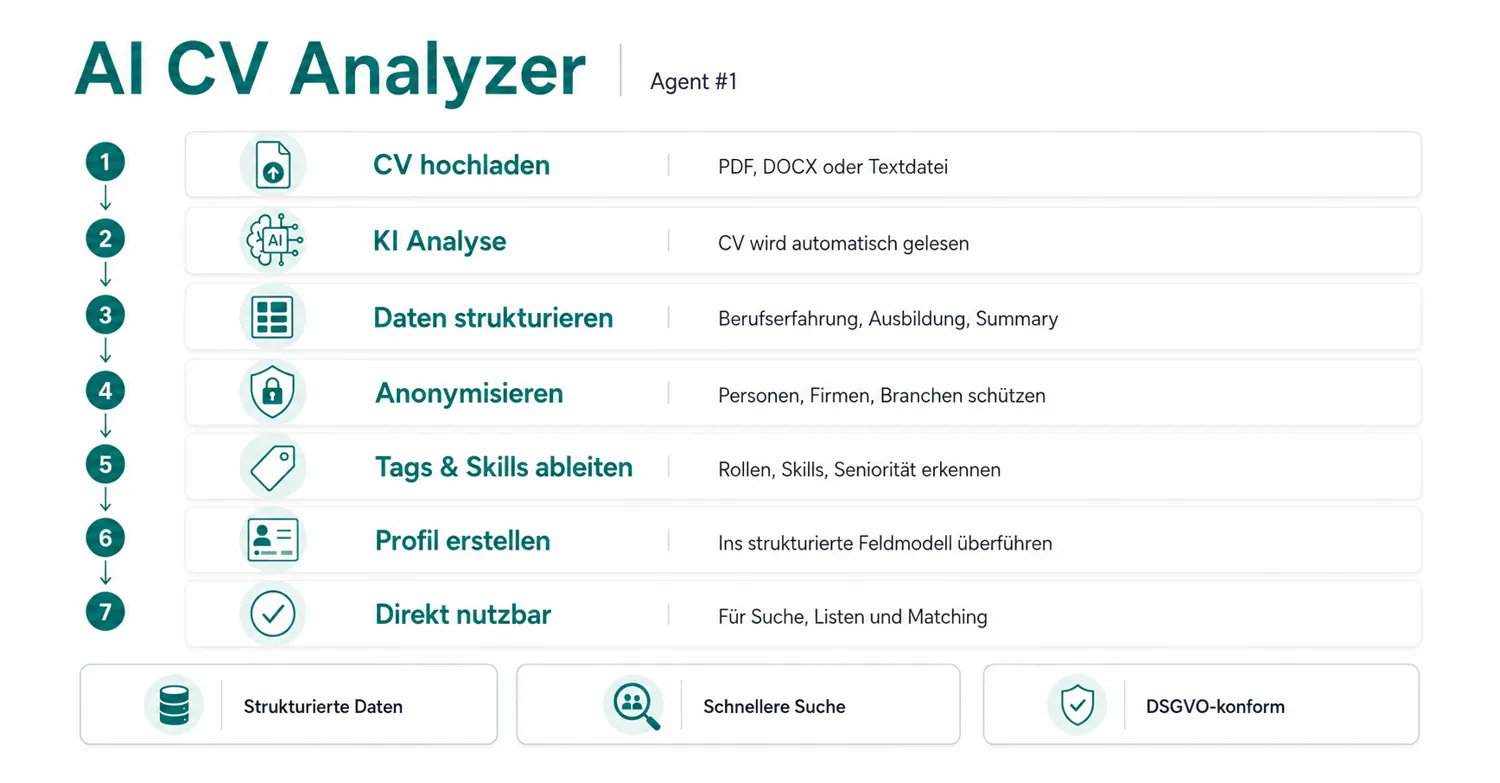
A CV is more than a document to store. Recruiters need consistent information about experience, education, skills and career history to search and compare candidates reliably.
plyce AI CV Analyzer turns the information in resumes into structured candidate records. The result can be used in search, shortlisting and further matching workflows instead of being confined to an attachment.
What does AI CV parsing actually do?
CV parsing extracts information from resumes and places it into defined fields. AI-assisted analysis can take the context of job descriptions, project work and career history into account rather than relying on isolated keywords.
A consistent structure matters when candidates describe similar experience in very different ways. The purpose is to provide reviewable profile data, not to replace a recruiter's judgement.
Which profile details can be captured?
The agent structures employment history, education, profile summaries and relevant highlights. It can also derive tags, skills, candidate type and seniority for later ATS workflows.
Anonymisation of personal, company or industry details is supported for appropriate presentation processes. Teams should review the output before relying on it.
- Structure employment and education history
- Identify skills, tags and seniority indicators
- Prepare searchable profile fields
- Support anonymised candidate presentations
From a CV file to a usable recruitment record
Structured candidate data improves the consistency of longlists and reduces repetitive data entry. It also provides a more useful basis for AI matching than storing a resume as an unread file.
Automated extraction is only as good as the underlying information. Check ambiguous dates, inferred qualifications and missing details against the source CV or directly with the candidate.
Example: Processing a technical consultant's resume
A recruiter receives a CV with several contracts, overlapping project roles and mixed formatting.
- 1
Upload the CV in the relevant candidate workflow.
- 2
Review the extracted roles, education, skills and highlights.
- 3
Check derived tags and any anonymisation.
- 4
Use the structured record in search and candidate matching.
The recruiter starts with a consistent candidate profile instead of typing each career entry by hand.
Frequently asked questions
Does AI CV parsing replace candidate screening?
No. It makes information easier to search and compare. Recruiters still verify experience, motivation and suitability.
Can the agent derive skills and seniority?
Yes. It can infer tags, skills, candidate type and seniority from the information available in the CV; uncertain details need review.
How is CV Analyzer different from CV Formatter?
CV Analyzer structures information inside the ATS. CV Formatter prepares a consistent, client-ready CV document.